
CivilDefense.io
Real-time community alerts on a live map. No sign-up. No account. Just tap, place, and protect your community.
Open the AppThe interface is simple and easy to use — it's just a map. Your location is marked in the center so you always know where you are. Scroll and drag to explore your surroundings, and use the + and − buttons in the top-left to zoom in or out. When you see something that others should know about, just tap the map and your alert goes up instantly. Two buttons in the bottom-left let you share the app via QR code or snap back to your location if you've wandered off.
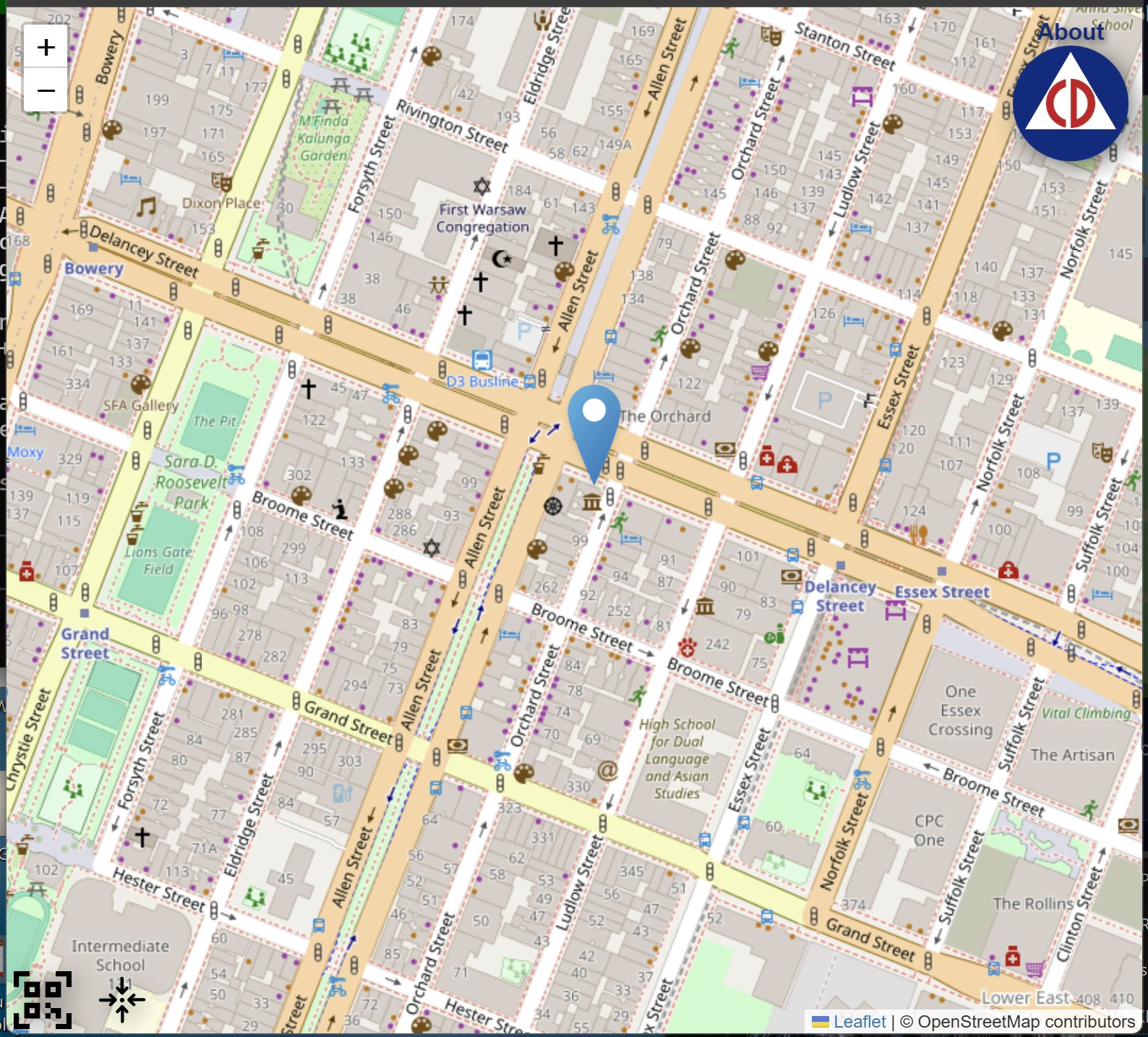
The live map with alert pins placed by community members. Your location shown as a blue pin in the center.
Open the App
Go to civildefense.io in any browser — mobile or desktop. No download, no account, no sign-in required. The live map loads immediately.
Navigate to the Location
Scroll or drag the map to find the area where the alert should be placed. Use the + and − buttons in the top-left to zoom in or out.
Tap the Map to Place Your Alert
Tap or click anywhere on the map. An alert pin drops at that exact location and is immediately visible to all other users viewing that area.
One Alert at a Time
Each user can have only one active alert on the map. If you tap a new location, your previous alert is automatically removed and replaced with the new one.
That's it. No forms, no categories, no confirmation screens. One tap = one alert, live on the map for everyone to see.
When you tap a second location, your previous alert disappears and the new one takes its place. This animation shows the transition:
Tap a new spot → old alert removed → new alert appears instantly.
Three UI elements control the map — zoom in the top-left, and two toolbar buttons in the bottom-left:
Zoom — Top-Left Corner
The + and − buttons in the top-left zoom the map in and out so you can pinpoint an exact location or get a wider view of your area.
QR Code — Bottom-Left, First Icon
Tapping this displays a QR code that links to https://civildefense.io. Show it to someone nearby so they can open the app instantly on their phone — no typing needed.

Recenter — Bottom-Left, Second Icon
Taps this to recenter the map on your current GPS location. Your position is shown as a blue pin on the map. Useful if you've scrolled far away and want to get back to where you are.
When many people in an area are reporting alerts, the map fills with pins showing the scale and spread of an incident in real time. Each pin represents one person's alert.
A cluster of alerts reveals the scale and location of an active incident.
CivilDefense.io requires no account, no email, no phone number. There is nothing to register and nothing to track. Your identity is never associated with your alert.

Powered by
CivilDefense.io runs on the YZ.social peer-to-peer network — a decentralized infrastructure with no central point of failure.